Let’s discuss how your website can help you get more traffic that could turn into potential Leads. Let’s go ahead and make it so your potential customers connect with your business. Unlock Your Business Potential with Expert SEO Services!
Boost Your Rankings • Increase Traffic • Grow Your Revenue
What is SEO?
Search engine optimization (SEO) is the process of enhancing your online presence through various strategies aimed at increasing your organic search traffic, making it easier for customers to find and connect with your business.
Why do you need SEO?
Let’s Imagine your washing machine just broke, and you must either get it repaired or buy a new one. First, you will grab your phone and search for what is wrong with your machine and whether you can fix it yourself.
Now, imagine you are a repair expert in the area with a website and a blog that addresses the issue the person is searching for. You provide a comprehensive guide outlining three steps for troubleshooting the problem. If they still need help, your blog offers a solution through a phone number for expert advice.
Now, you have a potential lead. What do you think, can you make a sale?
Now imagine that the issue with the machine is something that you, as an expert, have seen time after time with standard washing machines, and having the blog on your website will drive all the traffic to your website, and in turn, sales will go up.
Why SEO Is Important for Your Business
In today’s digital landscape, SEO (Search Engine Optimization) plays a vital role in the success of your business. Here’s why:
Increased Visibility and Traffic
SEO helps your website rank higher in search engine results pages (SERPs), making it more visible to potential customers. Higher visibility leads to increased website traffic, bringing more potential clients to your business.
Cost-Effective Marketing
Compared to traditional advertising methods, SEO is highly cost-effective and puts you in control. It targets users actively searching for your products or services online, ensuring that your marketing efforts reach an audience already interested in your offer.
Builds Credibility and Trust
Websites that rank higher on search engines are often perceived as more trustworthy and credible. Implementing effective SEO strategies helps establish your business as a reputable and authoritative source in your industry.
Better User Experience
SEO involves optimizing your website’s structure, content, and performance. This helps search engines understand your site better and enhances user experience, making it easier for visitors to navigate and find the information they need.
Competitive Advantage
In a competitive market, SEO gives you an edge over your competitors. By ranking higher and attracting more traffic, you can capture a larger market share and establish your brand as a leader in your field.
Long-Term Results
SEO provides sustainable, long-term results. Unlike paid advertising, which stops delivering once you stop paying, the benefits of SEO continue to grow over time as your website gains more authority and higher rankings.
Measurable Results
SEO offers measurable and trackable results. Using tools like Google Analytics, you can monitor your website’s traffic, user behaviour, and conversion rates, allowing you to refine your strategies and achieve better outcomes.
Local SEO for Targeted Reach
For businesses targeting local customers, local SEO is essential. It helps you appear in local search results, making it easier for nearby customers to find and choose your business.
Tasks In SEO.
Business Goals
Any Marketing service is done with the business goals in mind; the same applies to SEO. SEO is a long-term game; if you need quick results, other strategies and tactics are employed.
Keyword Research & Strategy
Our SEO experts conduct thorough keyword research to identify your business’s most relevant and high-traffic keywords. We develop a strategic plan to target these keywords, ensuring your website ranks for the terms your potential customers are searching for.
On-Page SEO
We optimize your website’s content, meta tags, headers, images, and URLs to improve its relevance and search engine friendliness. Our on-page SEO techniques help search engines understand your website’s content, leading to better rankings.
Technical SEO
We’ll be able to perform a comprehensive technical SEO audit to identify and fix issues hindering your website’s performance. Our services include improving site speed and mobile-friendliness and ensuring proper indexing and crawl-ability.
Content Creation & Optimization
Quality content is the backbone of effective SEO. Our team of skilled writers creates engaging, informative, and SEO-friendly content that resonates with your audience and encourages them to take action.
Link Building
We build high-quality backlinks from reputable websites to enhance your site’s authority and credibility. Our link-building strategies help improve your site’s ranking and drive more organic traffic.
Local SEO
For businesses targeting a local audience, we provide specialized local SEO services. We optimize your Google My Business profile, ensure accurate NAP (Name, Address, Phone number) information, and implement local citation strategies to boost your visibility in local search results.
Any Marketing service is done with the business goals in mind; the same applies to SEO. SEO is a long-term game; if you need quick results, other strategies and tactics are employed.
Our SEO experts conduct thorough keyword research to identify your business’s most relevant and high-traffic keywords. We develop a strategic plan to target these keywords, ensuring your website ranks for the terms your potential customers are searching for.
We optimize your website’s content, meta tags, headers, images, and URLs to improve its relevance and search engine friendliness. Our on-page SEO techniques help search engines understand your website’s content, leading to better rankings.
We’ll be able to perform a comprehensive technical SEO audit to identify and fix issues hindering your website’s performance. Our services include improving site speed and mobile-friendliness and ensuring proper indexing and crawl-ability.
Quality content is the backbone of effective SEO. Our team of skilled writers creates engaging, informative, and SEO-friendly content that resonates with your audience and encourages them to take action.
We build high-quality backlinks from reputable websites to enhance your site’s authority and credibility. Our link-building strategies help improve your site’s ranking and drive more organic traffic.
For businesses targeting a local audience, we provide specialized local SEO services. We optimize your Google My Business profile, ensure accurate NAP (Name, Address, Phone number) information, and implement local citation strategies to boost your visibility in local search results.
You’ve launched your business website—great job! Now it’s time to take the next step: setting up a professional email address that matches your website’s domain. Instead of using a personal email like yourbusiness@gmail.com, you can create one that looks more professional, like info@yourbusiness.com.
Having a business email with your own domain helps you look more trustworthy, serious, and organized. It also makes a strong first impression on your customers and partners. People are more likely to respond to an email that looks official.
The good news is you don’t need to be a tech expert to set it up. In this guide, we’ll walk you through simple steps to create your own business email address. Whether you’re using your web hosting provider or a service like Google Workspace or Microsoft 365, we’ll help you get everything running smoothly.
Why Use a Business Email with Your Website Domain?
Using a business email that matches your website domain (like you@yourbusiness.com) makes a big difference in how people see your brand. Here’s why it’s important:
✅ Builds Trust: A custom email address helps your business look more trustworthy. People are more likely to respond to your messages when they know it’s coming from a real business.
✅ Stronger Branding: Every time you send an email, your domain name is front and center. It reminds people of your brand and keeps it top of mind.
✅ Better Security and Control: With a business email, you have more control over user access, security settings, and backups—especially when your team grows.
✅ Avoids the Spam Folder: Emails from free accounts are more likely to end up in spam. Business email addresses are more trusted by inboxes and spam filters.
What You’ll Need Before You Start
Before setting up your business email, make sure you have the following:
✅ 1. A Domain Name: You need to own a domain (like yourbusiness.com). You can buy it from providers like Namecheap or GoDaddy.
✅ 2. Access to Your Domain Settings: This is where you’ll make changes to connect your email. You’ll find these settings in the account where you bought your domain.
✅ 3. Email Hosting: You need a service to manage your emails. You can either use the free email option from your web hosting provider or choose a paid service like Google Workspace or Microsoft 365.
✅ 4. (Optional) A Web Hosting Plan: Some hosting providers include email services. This step is only needed if you’re using your hosting provider for email.
Step 1: Choose How You Want to Host Your Email
The first step is to decide where your business email will be hosted. This means choosing a service that will handle sending, receiving, and storing your emails. You have two main options:
✅ Option 1: Use Your Web Hosting Provider (Free or Included)
Some web hosting companies like Bluehost, Hostinger, or Site Ground include free business email with your hosting plan. This is a good choice if you’re just starting out and want a basic setup.
Pros:
Often free or included in your hosting
Easy to set up in your hosting dashboard
Cons:
Fewer features
May not be as reliable for long-term use
✅ Option 2: Use a Dedicated Email Service (Paid but Professional)
Services like Google Workspace or Microsoft 365 offer powerful business email tools with great features like storage, spam protection, and calendar integration.
Pros:
Highly reliable and secure
Professional features (shared calendars, cloud storage, etc.)
Email won’t work without the correct DNS settings. Here’s what you need to set:
MX Records: Direct your domain’s email to the correct server
SPF Record: Authorizes your mail server to send emails on your behalf
DKIM: Adds a digital signature to prevent spoofing
DMARC: Helps protect your domain from phishing and fraud
These settings are usually found in your domain registrar or hosting provider’s dashboard under “DNS” or “Zone Editor.”
Step 4: Connect Your Email to Mail Clients
You can use your new business email in popular email clients like:
Gmail (with external account setup)
Outlook
Apple Mail
Thunderbird
Use IMAP or SMTP settings provided by your email host. Most providers have guides with the exact details.
Step 5: Test Everything
Send a test email to and from your new address
Check spam folders
Make sure your signature and sender name are correct
If using multiple devices, confirm sync works across all
Step 6: Add Professional Touches
Set up email signatures with your name, title, and logo
Create aliases (e.g., support@, sales@) if your service allows
Set up autoresponders and email forwarding as needed
Conclusion
Setting up a professional business email address using your website domain is one of the most important steps you can take to build credibility and trust. It shows your customers and clients that you are serious about your business and helps create a strong and consistent brand image. A custom email address not only looks professional but also improves communication and helps keep your messages out of spam folders.
Whether you decide to use the free email option included with your web hosting plan or invest in a paid service like Google Workspace or Microsoft 365, the process is straightforward. Choosing the right email hosting provider depends on your business needs, budget, and the features you want to have.
By setting up a business email with your domain, you make your business look more polished and reliable. If you would like expert help with setting up your domain-based email or managing your digital presence, The Sun Media House is here to support you. Our team can handle the setup process from start to finish so you can focus on running and growing your business. Contact us today to get started.
Have you ever clicked on a link on a website and seen a message that says, “Page Not Found”? This is called a 404 error. It means the page you are looking for is missing or has been moved.
This can happen on any website, even on WordPress websites. Sometimes the page was deleted, or the link was typed wrong, or the website owner changed the name of the page.
When people see this error, they may feel confused or upset because they cannot find what they are looking for. It also makes the website look bad and can stop people from coming back.
But don’t worry! If you have a WordPress website, fixing this problem is not hard. In this guide, I will show you in a simple way how to find these broken pages and how to fix them. I will also tell you how to stop this problem from happening again.
Let’s learn how to fix 404 errors and make your website better and easy for everyone to use!
What is a 404 Error in WordPress?
A 404 error in WordPress means the page someone is trying to visit on your website cannot be found. It’s like reaching a closed door when you expected it to be open.
This happens when a link is broken, a page has been deleted, or the page address (URL) has been changed without setting up a new link for it. Instead of showing the right page, WordPress shows a message like “Sorry, this page doesn’t exist” or “Page Not Found.”
While 404 errors are common and normal sometimes, having too many on your site is not good. They can annoy visitors and make your website look unprofessional. It can also hurt your website’s ranking on search engines like Google.
That’s why it’s important to find and fix 404 errors on your WordPress site to give your visitors a smooth and happy experience.
Why 404 Errors Matter
404 errors may look like a small problem, but they can cause big trouble for your website if not fixed.
When visitors come to your website, they expect to find the information they are looking for quickly and easily. If they see a “Page Not Found” error, they might feel confused, upset, or think your website is broken. Most people will leave the site right away and may never come back.
404 errors also matter for your website’s ranking on Google. Search engines like Google want to show good and helpful websites to people. If your site has too many broken links or missing pages, Google might think your site is not well cared for and push it lower in search results.
This means fewer people will find your website.
In short, 404 errors matter because:
They create a bad experience for visitors
They can make your website look unprofessional
They may lower your Google ranking
They can cause you to lose customers or readers
That’s why it’s very important to check your WordPress website for 404 errors and fix them as soon as possible. It helps keep your website clean, trusted, and easy to use for everyone.
Common Causes of 404 Errors in WordPress
There are many reasons why 404 errors can happen on a WordPress website. Most of the time, they are caused by small mistakes or changes made on the site. Here are some common reasons:
Deleted Pages or Posts: If you delete a page or blog post from your website, but other people still have the old link saved, they will see a 404 error when they try to visit it.
Changed Page URLs: Sometimes you might change the name or address (URL) of a page. If you don’t update the link everywhere, visitors who click the old link will get a 404 error.
Incorrect or Broken Links: A typing mistake in the link or copying the wrong URL can lead visitors to a page that doesn’t exist.
Plugin or Theme Issues: Some WordPress plugins or themes can change the way your website’s links work. If something goes wrong, it can cause 404 errors.
Permalink Settings Problem: Permalinks are the structure of your website links. If your permalink settings in WordPress are not set properly, your pages may show 404 errors.
Moved Website to a New Domain: If you moved your website to a new domain or hosting but forgot to set up proper redirects, old links can cause 404 errors.
How to Fix 404 Errors on WordPress (Step-by-Step Guide)
If your website is showing 404 errors, don’t panic! These errors are very common in WordPress and can be fixed easily if you follow the right steps. Let’s look at different ways to fix them:
1. Reset Your Permalinks
Sometimes your website links (called permalinks) get broken or confused. A simple reset can fix the problem.
Steps to Reset Permalinks:
Login to your WordPress Dashboard
Go to Settings → Permalinks
You don’t need to change anything
Just click the Save Changes button
This step refreshes your link structure and can solve many 404 errors quickly.
2. Create 301 Redirects
If you have deleted a page or changed its URL, visitors who use the old link will see a 404 error. To fix this, you can create a 301 Redirect. This means anyone who clicks the old link will be sent to the new page automatically.
How to Create a Redirect:
Install a free plugin like Redirection
Go to Tools → Redirection
Add the old URL (the page that is missing)
Add the new URL (the correct page you want visitors to see)
This is good for your website because it helps users and keeps your SEO strong.
3. Restore Deleted Content
Did you delete a page by mistake that many people still visit? No problem!
What You Can Do:
If you have a website backup, restore the deleted page from the backup.
Or create a new page with similar content.
Don’t forget to set up a redirect from the old link to the new page, so visitors don’t get lost.
4. Fix Broken Internal Links
404 errors can also happen when your website has wrong or old links inside menus, blog posts, or the footer.
Where to Check Links:
Navigation menus
Blog posts or pages
Footer or sidebar links
You can check them manually or use a free plugin like Broken Link Checker to find all broken links and update them easily.
5. Disable Problematic Plugins or Themes
Sometimes, a new plugin or theme can cause 404 errors by changing the way your links work.
Steps to Check:
Go to Plugins in your dashboard
Deactivate recently added plugins one by one
After deactivating each plugin, check if the 404 error is gone
If the error disappears, that plugin is causing the problem
How to Prevent 404 Errors in WordPress
Preventing 404 errors in WordPress is very easy if you take care of a few things regularly. First, always keep your website links updated. Whenever you change a page URL or move a page, make sure to update all the links that go to that page. If you delete a page or change its URL, it’s best to create a 301 redirect so visitors are sent to the correct page instead of seeing an error. Try not to delete important pages like the Contact Us or About Us page. If you must delete them, create a new page or set a redirect. Also, check your website for broken links regularly using a free plugin like Broken Link Checker. Keeping your WordPress, themes, and plugins updated is also very important to avoid errors. Another good idea is to create a custom 404 error page with helpful links to your homepage, blog, or contact page so visitors don’t leave your site quickly. Lastly, use Google Search Console to find any 404 errors on your website and fix them quickly. Following these simple steps will help keep your website error-free and user-friendly.
Recommended Tools for Managing 404 Errors
Tool
Purpose
Redirection
Manage 301 redirects & track 404 errors
Broken Link Checker
Scan for broken links
Google Search Console
Monitor site performance and errors
Rank Math SEO
SEO management + 404 monitor
Conclusion
404 errors are common in WordPress websites, but they can be easily fixed and prevented with simple steps. Regularly updating your links, using redirects, checking for broken links, and keeping your website updated will help you provide a smooth and user-friendly experience for your visitors. A well-maintained website not only keeps your audience happy but also helps improve your search engine ranking.
Don’t let 404 errors hurt your website! If you need help managing your WordPress site or want experts to handle everything for you – The Sun Media House is here to help.
Contact us today for website management, SEO services, and complete digital solutions to keep your website running smoothly and error-free!
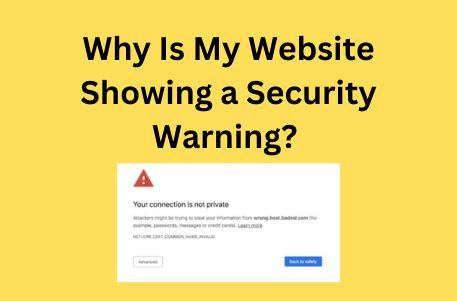
Imagine a visitor trying to access your website, only to be met with a bold “Your connection is not private” or “Deceptive site ahead” warning. This can be alarming and could drive potential customers away, damage your website’s reputation, and even impact your search engine rankings.
Security warnings appear when browsers like Google Chrome, Mozilla Firefox, and Microsoft Edge detect potential threats or vulnerabilities on your site. These warnings are meant to protect users from cyber threats like data theft, malware infections, and phishing attacks.
If your website is showing a security warning, don’t panic! The good news is that most of these issues can be fixed quickly with the right approach. In this guide, we’ll explore the most common reasons why your website may be displaying security warnings and provide step-by-step solutions to fix them.
Common Reasons for Security Warnings on Websites
When your website displays a security warning, it means browsers have detected potential security risks. These warnings protect users from threats like hacking, malware, and phishing. Below are six common reasons why your website might be showing a security warning.
Expired or Missing SSL Certificate
An SSL (Secure Sockets Layer) certificate helps keep your website secure by encrypting data between the site and its visitors. It also shows a padlock symbol in the browser, indicating that the connection is safe. If your SSL certificate is missing or has expired, visitors may see warnings like “Your connection is not private” or “Not Secure,” making them hesitant to visit your site. This problem can occur if the SSL certificate was never installed, has expired, or if the site is still using HTTP instead of HTTPS.
To fix this issue, first, check if your SSL certificate is active using an SSL checker tool like SSL Labs. If the certificate has expired, renew it through your hosting provider or a trusted Certificate Authority (CA) such as Let’s Encrypt, DigiCert, or GoDaddy. After renewing, make sure it is installed correctly on your website. Additionally, ensure all website pages load with HTTPS by setting up automatic redirects. If the warning still appears, clear your browser cache or try accessing the site in Incognito Mode to check if the issue is resolved.
Keeping your SSL certificate updated is essential for website security and trust. Regularly checking and renewing it on time will prevent security warnings and keep your visitors safe.
Mixed Content Issues
Mixed content issues happen when a website uses HTTPS, but some resources (images, scripts, or styles) still load over HTTP. This makes the site “Not Fully Secure” and can weaken its protection. It usually occurs after installing an SSL certificate when some links are not updated to HTTPS.
To fix this, check for insecure elements using browser tools (F12 > Console) or WhyNoPadlock. Update all links to HTTPS, use a plugin like Really Simple SSL (for WordPress), and enable Content Security Policy (CSP) to block unsafe content. After making changes, clear your browser cache and test your site.
Self-Signed or Untrusted SSL Certificate
A self-signed or untrusted SSL certificate can cause browsers to display security warnings, making visitors hesitant to access your site. Unlike certificates issued by trusted Certificate Authorities (CAs) like Let’s Encrypt or DigiCert, self-signed certificates are not verified by a third party. This makes them unsuitable for public websites, as browsers treat them as unsafe and may show warnings like “Your connection is not private.”
This issue occurs when a website uses an SSL certificate that was manually created instead of being purchased from a trusted CA. It can also happen if the certificate is misconfigured, or the certificate chain is incomplete. To fix this, install an SSL certificate from a recognized CA, ensure it is properly configured, and check for missing intermediate certificates. You can verify your SSL setup using tools like SSL Labs.
Malware or Hacked Website
If your website is infected with malware or has been hacked, browsers may flag it as unsafe and display warnings like “This site may harm your computer” or “Deceptive site ahead.” Hackers can inject malicious code, redirect visitors to harmful sites, or steal sensitive data, putting both your website and users at risk.
This issue often happens due to weak passwords, outdated software, or security vulnerabilities in plugins and themes. To fix it, scan your site using tools like Sucuri SiteCheck or Google Safe Browsing to identify malware. Remove any infected files, update all software, and change all passwords. If your site is blacklisted, request a review through Google Search Console after cleaning it.
Phishing or Suspicious Content
If your website is flagged for phishing or suspicious content, browsers may warn visitors with messages like “Deceptive site ahead” or “This site may be trying to steal your information.” This happens when hackers use your website to trick users into sharing sensitive data like passwords or credit card details.
Phishing warnings usually occur if your site has been hacked, contains deceptive ads, or hosts fake login pages. To fix this, scan your site for malware using tools like Google Safe Browsing or Sucuri SiteCheck. Remove any harmful content, update all software, and check for unauthorized changes. If your site is blacklisted, submit a review request in Google Search Console after cleaning it.
Outdated CMS, Plugins, or Themes
Using an outdated Content Management System (CMS), plugins, or themes can make your website vulnerable to security threats. Hackers often exploit weaknesses in old software to inject malware, steal data, or take control of your site. This can trigger browser security warnings, block user access, and harm your site’s reputation.
To fix this, regularly update your CMS (such as WordPress, Joomla, or Drupal), along with all plugins and themes. Remove any unused or outdated extensions that no longer receive updates. Enable automatic updates where possible and use security plugins to scan for vulnerabilities.
Preventing Future Security Warnings
To keep your website secure and avoid security warnings, follow these best practices:
Keep SSL Certificate Updated – Regularly renew your SSL certificate and ensure all pages load over HTTPS. Use automatic renewal options to avoid expiration.
Update Your CMS, Plugins, and Themes – Always use the latest versions of your CMS (like WordPress, Joomla, or Drupal), plugins, and themes. Remove outdated or unused extensions to reduce security risks.
Enable Security Monitoring – Use security tools like Sucuri, Wordfence, or Cloudflare to scan for vulnerabilities and block threats in real time.
Use Strong Passwords & Two-Factor Authentication (2FA) – Protect your admin accounts with strong, unique passwords and enable 2FA to prevent unauthorized access.
Regularly Scan for Malware – Perform routine security scans using tools like Google Safe Browsing or MalCare to detect and remove malicious files.
Backup Your Website Regularly – Set up automatic backups to restore your site quickly if it gets compromised. Use reliable backup solutions like UpdraftPlus or your hosting provider’s backup service.
Limit User Access & Permissions – Grant only necessary access to team members and restrict admin privileges to trusted users.
Enable a Web Application Firewall (WAF) – Use Cloudflare, Sucuri WAF, or your hosting provider’s firewall to filter out harmful traffic and block hacking attempts.
Conclusion
Keeping your website secure is important for protecting your visitors and maintaining trust. Security warnings can scare users away, hurt your search rankings, and damage your business reputation. These warnings usually happen because of issues like expired SSL certificates, mixed content, malware, outdated software, or phishing threats. If not fixed, they can lead to data theft, hacking, or even your site being blocked by search engines.
To prevent security problems, make sure to renew your SSL certificate, update your website’s software, scan for malware, enable a firewall, and use strong passwords. Regular backups are also important so you can restore your site if anything goes wrong. By taking these steps, you can keep your website safe and provide a secure experience for your visitors.
If you need help fixing security warnings or improving your website’s protection, The Sun Media House is here for you. Our team offers SSL setup, malware removal, security checks, and website maintenance to keep your site running smoothly. Contact The Sun Media House today and let us help you secure your website and grow your business with confidence!
Have you ever visited a website and had to wait too long for it to load? It can be frustrating and may even make you leave the site before seeing what it offers. Research shows that 40 percent of visitors will leave a website if it takes more than three seconds to load. This means a slow website can cause you to lose potential customers or readers without even realizing it.
There are many reasons why a website might load slowly. The images may be too large, the hosting service may not be fast enough, or there may be too many extra files and scripts running in the background. Whatever the cause, a slow website can reduce traffic, lower search engine rankings, and make visitors less likely to stay.
The good news is that there are ways to fix it. In this article, we will explore the most common reasons websites become slow and share simple steps to make them load faster. Whether you own a business website, an online store, or a blog, these tips will help improve your site’s speed and give visitors a better experience.
Common Reasons Why Website Loads Slowly
A slow website can frustrate visitors, lower search engine rankings, and reduce conversions. If your site takes too long to load, multiple factors could be causing the delay. Below are some of the most common reasons your website might be slow and how you can fix them.
1. Large and Unoptimized Images
Images enhance the visual appeal of a website, but if they are not optimized properly, they can slow downloading speeds. High-resolution images take up more space, requiring more time to load, especially on mobile devices and slower internet connections. Many websites use large image files without compression, which places unnecessary strain on the server and increases load times.
✅ How to Fix It:
Compress images before uploading using tools like TinyPNG, ImageOptim, or ShortPixel.
Use WebP format instead of PNG or JPEG for better compression without losing quality.
Enable lazy loading so images load only when they appear on the user’s screen.
Resize images to the required dimensions instead of uploading oversized files.
2. Poor Hosting Service
The quality of your web hosting service greatly affects your website speed. If you are using shared hosting, your website is competing for resources with many others, which can cause slow performance, especially during peak traffic hours. Cheap hosting providers may also have outdated servers that cannot handle high demand efficiently.
✅ How to Fix It:
Upgrade to a VPS, cloud hosting, or dedicated server for better performance.
Choose a reliable hosting provider like SiteGround, Kinsta, or Cloudways.
Opt for managed WordPress hosting if you run a WordPress website for better optimization.
Ensure your hosting provider has fast SSD storage and a high uptime guarantee.
3. Too Many HTTP Requests
Every time a user visits your website, their browser makes requests to load images, scripts, and stylesheets. If your site has too many separate requests, it increases loading time. Too many plugins, third-party integrations, and large page elements can contribute to this issue.
✅ How to Fix It:
Reduce the number of images, scripts, and stylesheets used on your pages.
Combine CSS and JavaScript files into fewer files to minimize requests.
Use CSS sprites to combine multiple small images into one file.
Minimize third-party integrations such as chat widgets, social media plugins, and unnecessary ads.
4. No Caching Enabled
Caching helps store website data temporarily so returning visitors do not have to reload everything from scratch. Without caching, your website will have to process every request from the beginning each time someone visits, leading to slow load times.
✅ How to Fix It:
Enable browser caching to store static files like images, CSS, and JavaScript for returning visitors.
Use caching plugins such as WP Rocket, W3 Total Cache, or LiteSpeed Cache for WordPress sites.
Enable server-side caching if your hosting provider offers it for improved speed.
5. Too Many Plugins and Third-Party Scripts
If your website runs on a platform like WordPress, having too many plugins can slow it down. Some plugins add extra scripts and stylesheets, increasing HTTP requests. Similarly, third-party scripts like Google Ads, chat widgets, and analytics tools can affect loading speed.
✅ How to Fix It:
Deactivate and delete unnecessary plugins that are not essential.
Use lightweight alternatives for commonly used plugins.
Load third-party scripts asynchronously so they do not delay page rendering.
Use Google Tag Manager to manage multiple tracking scripts efficiently.
6. Unoptimized Code (HTML, CSS, JavaScript)
If your website contains unnecessary code, it increases the time it takes for browsers to load and display pages. Large CSS files, excessive JavaScript, and bloated HTML can all contribute to slow performance.
✅ How to Fix It:
Minify CSS, JavaScript, and HTML files using tools like Autoptimize or Fast Velocity Minify.
Remove unused CSS and JavaScript to reduce file sizes.
Combine multiple CSS and JavaScript files into one to reduce HTTP requests.
7. Lack of a Content Delivery Network (CDN)
If your website is hosted on a single server, users who are far away from that server will experience slower load times. A CDN helps by storing copies of your website on multiple servers worldwide and delivering content from the server closest to the user.
✅ How to Fix It:
Use a CDN service like Cloudflare, BunnyCDN, or StackPath to improve speed.
Enable CDN caching to reduce the number of requests to the main server.
Ensure all static assets like images, CSS, and JavaScript are delivered through the CDN.
8. Large or Uncompressed Files
Websites that include large JavaScript files, CSS files, or videos can suffer from slow load speeds. These files take longer to download, especially for users with slower internet connections.
✅ How to Fix It:
Enable GZIP compression to reduce the size of CSS, HTML, and JavaScript files.
Host large videos on platforms like YouTube or Vimeo instead of embedding them directly.
Use optimized fonts and avoid too many different font styles to reduce file load.
9. Slow Server Response Time
A slow server response time means that when a user clicks on your website, it takes too long for the server to send back the requested content. This can be caused by poor hosting, too many database queries, or high traffic without proper server optimization.
✅ How to Fix It:
Upgrade to a faster hosting provider with a better infrastructure.
Optimize your database by cleaning up unused data, old revisions, and spam comments.
Use a lightweight theme instead of heavy, resource-intensive website themes.
10. Render-Blocking JavaScript and CSS
Some JavaScript and CSS files prevent the page from displaying content until they are fully loaded. This is known as render-blocking, and it slows down how quickly users can see your site.
✅ How to Fix It:
Defer JavaScript loading so it runs after the main content loads.
Load CSS and JavaScript asynchronously so they do not delay page rendering.
Use tools like Async JavaScript or WP Rocket to optimize script loading.
How to Check Your Website Speed
A slow website can negatively impact user experience and search rankings. To analyze your website’s speed and performance, use these reliable tools:
1. Google PageSpeed Insights This free tool from Google measures your website’s speed on both mobile and desktop devices. It provides a performance score along with suggestions to improve loading time.
2. GTmetrix GTmetrix offers a detailed report on your website’s loading speed, page size, and performance issues. It also provides actionable recommendations to optimize your site.
3. Pingdom Pingdom helps analyze your page load time, identifies bottlenecks, and gives insights into improving speed. It allows you to test from different locations worldwide.
4. Lighthouse (Google Chrome DevTools) Lighthouse is a built-in tool in Google Chrome that analyzes website performance, accessibility, and best practices. It helps identify speed-related issues and provides optimization tips.
Key Metrics to Monitor
When testing your website speed, pay attention to these key metrics:
1. Largest Contentful Paint (LCP) – Measures the time it takes for the main content to fully load. A lower LCP score indicates faster performance.
2. First Contentful Paint (FCP) – Tracks the time until the first visual element appears on the page. A fast FCP ensures a better user experience.
3. Time to First Byte (TTFB) – Measures how quickly the server responds to a request. A slow TTFB can indicate server or hosting issues.
Regularly testing your website speed using these tools and metrics will help you identify issues and optimize your site for better performance.
Best Practices to Improve Website Speed
To speed up your website, follow these steps:
✅ Optimize images – Compress and use next-gen formats like WebP.
✅ Upgrade hosting – Move to VPS, cloud, or dedicated hosting.
✅ Reduce HTTP requests – Minimize page elements and use CSS sprites.
✅ Enable caching – Use browser caching and install caching plugins.
✅ Minify code – Compress CSS, JavaScript, and HTML files.
✅ Limit plugins and third-party scripts – Only use essential ones.
✅ Use a CDN – Store website files on global servers for faster access.
✅ Optimize the database – Regularly clean up unused data.
✅ Improve server response time – Upgrade hosting and optimize database queries.
A slow website can negatively impact user experience, reduce conversions, and lower your search engine rankings. Visitors expect pages to load quickly, and if they don’t, they are likely to leave and never return. By following best practices like optimizing images, enabling caching, reducing redirects, and using a Content Delivery Network (CDN), you can significantly improve your website’s speed and performance. Regularly monitoring your site with tools like Google PageSpeed Insights and GTmetrix ensures that you stay on top of any performance issues before they affect your visitors.
If you want a faster, high-performing website but don’t know where to start, The Sun Media House can help. Our expert web development team specializes in optimizing websites for speed, security, and user experience. Contact us today to improve your site’s performance and keep your visitors engaged! 🚀
Imagine walking into a store with cluttered shelves, unclear signs, and no one to guide you. You might feel frustrated and leave quickly. Now picture a store with clear signage, neatly arranged products, and a welcoming atmosphere. This is the difference a well-designed website makes in the online world.
Website design is not just about looking good. It is about creating an experience where visitors feel confident, can easily find what they need, and enjoy their time on your site. In this blog, we will uncover why good design goes beyond appearance and how it can shape your success online.
1. First Impressions and Trust
A visually appealing website can grab attention, but it’s true value lies in how effectively it communicates credibility. Visitors form an opinion about your business within seconds of arriving, and this first impression often determines whether they stay or leave.
A clean layout, professional design elements, and intuitive functionality send a strong message of reliability and professionalism, which helps build trust.
They importance of website design cannot be overstated. It serves as your 24/7 storefront, a platform to engage customers, and a critical tool for showcasing your brand’s strengths. A well-designed website not only attracts attention but also builds trust and converts visitors into loyal customers, making website design a key element of business success in today’s digital world.
2. User Experience (UX) Comes First
Good design ensures that a website is easy to navigate, with clear menus, logical page structures, and accessible features. For example:
Navigation: Visitors should easily find what they’re looking for within a few clicks.
Responsiveness: A well-designed website adapts to all screen sizes, ensuring mobile users have a smooth experience.
Accessibility: Thoughtful design ensures the site is usable for everyone, including people with disabilities, making your business more inclusive.
3. Functionality and Performance
A beautiful website is only effective if it works well. Functionality and performance are crucial aspects of a successful website design. If your site is slow to load or has broken links, visitors will quickly lose patience and leave. In fact, research shows that a delay of even a few seconds can cause a significant drop in conversions.
Website performance involves factors such as:
Page Speed: A fast-loading website ensures a smooth experience for visitors and is favored by search engines, boosting your site’s visibility.
Mobile Optimization: With more users browsing on mobile devices, a responsive website design is essential to ensure your site looks and functions great on any screen size.
Ease of Use: Intuitive navigation and functional design elements (like buttons, forms, and CTAs) make it easy for visitors to interact with your site and find what they need.
When both functionality and performance are prioritized, your website becomes a powerful tool that not only attracts visitors but also keeps them engaged and satisfied.
4. Brand Identity and Messaging
Your website is not just a digital brochure; it is a reflection of your brand’s identity and message. Every design element, from colors and fonts to imagery and layout, communicates something about your business.
The importance of website design lies in how it reinforces your brand’s personality and values, making it instantly recognizable to visitors. Consistent use of colors and typography that match your brand helps create a cohesive, professional look, while the right imagery conveys the message you want to communicate, whether that is trust, innovation, or customer care.
Additionally, the tone and structure of your content play a significant role in how your message is delivered. Clear, concise, and persuasive copy speaks directly to your target audience, guiding them toward taking action.
When your design and messaging align, your website becomes a true extension of your brand, providing visitors with a consistent and engaging experience that builds trust and loyalty.
5. SEO and Visibility
Website design isn’t just for humans; it’s for search engines too.
Responsive Design: Search engines prioritize mobile-friendly websites in their rankings.
Site Structure: Clear hierarchy and logical navigation improve crawlability, helping search engines index your site effectively.
Fast Loading: Speed isn’t just a user priority — it’s also a Google ranking factor.
6. Encouraging Engagement and Conversions
Effective website design is key to getting users to engage with your business and take action. One of the most important ways to do this is through calls-to-action (CTAs).
These are buttons or links that guide visitors to do things like make a purchase, sign up for a newsletter, or contact you. By placing CTAs in clear and easy-to-find spots, you help users take the next step without confusion.
Along with clear CTAs, making your website easy to use is essential for boosting conversions. Simple forms and an easy checkout process make it faster and simpler for visitors to complete their goals.
Whether it’s filling out a form or buying a product, a smooth experience encourages visitors to follow through. This increases the chances of turning website visitors into loyal customers, leading to higher engagement and more conversions.
7. Competitive Edge
In today’s competitive digital world, a well-designed website can set you apart from your competitors. While many websites may be outdated or hard to navigate, a modern, clean, and user-friendly design gives you a significant advantage.
A good website not only looks appealing but also makes it easy for visitors to find what they need, creating a positive experience that builds trust and encourages them to engage with your content.
By staying updated with the latest trends and technology, like mobile-friendly design and fast loading speeds, you show that your business is modern and reliable. This investment helps attract more visitors, convert them into customers, and ensures your brand stands out in a crowded online space.
8. Adaptability to Trends and Technology
In the ever-evolving digital landscape, a website must be adaptable to new trends and technologies to stay relevant and competitive. As user preferences and technological advancements change, websites need regular updates to enhance functionality, improve user experience, and meet industry standards.
Embracing responsive design ensures that websites perform seamlessly across various devices, including smartphones, tablets, and desktops. Additionally, integrating emerging technologies like AI-driven chatbots, voice search optimization, and interactive UI elements enhances engagement and accessibility.
Keeping up with the latest SEO algorithms, design trends, and security protocols is also crucial for maintaining search rankings and protecting user data. A future-proof website that evolves with technological advancements not only improves user satisfaction but also strengthens a brand’s online presence and credibility.
9. Security & Compliance
A well-designed website must not only be visually appealing and functional but also secure and compliant with legal standards.
Accessibility is a crucial aspect of web design, ensuring that all users, including those with disabilities, can navigate and interact with the website seamlessly.
Implementing Web Content Accessibility Guidelines (WCAG) helps improve user experience through features like text alternatives for images, keyboard navigation, and proper color contrast for readability. Additionally, websites must follow privacy and data protection policies to maintain user trust and legal compliance.
A Privacy Policy should clearly outline how user data is collected, stored, and used, while a Data Sharing Policy must explain when personal information is shared with third parties. Furthermore, websites using cookies for tracking and analytics should include a Cookie
Policy and Consent Mechanism to comply with regulations like GDPR. By integrating these compliance measures, businesses not only protect user data but also build credibility and enhance their online reputation.
Conclusion
Website design goes beyond simply creating something visually appealing; it plays a critical role in shaping user experience, establishing trust, and driving business success. A well-designed website is a powerful asset that not only grabs attention but also keeps visitors engaged, guiding them smoothly through the site to take action.
By prioritizing both aesthetics and functionality, you create a seamless experience that helps build credibility and encourages conversions. The importance of website design lies in its ability to reflect your brand’s identity, communicate your message clearly, and provide a user-friendly interface that meets the needs of your audience.
When every design element works together to support your business goals, your website becomes more than just an online presence; it becomes a key player in your business’s growth and success. Investing in thoughtful, strategic website design ensures that your site not only looks great but also delivers real, lasting value.
Starting an online store has never been easier, thanks to platforms like Shopify. With its user-friendly interface, robust features, and flexibility, Shopify has become a go-to solution for entrepreneurs and businesses looking to enter the world of e-commerce. But before you dive in, understanding the costs involved is crucial to ensure you’re choosing the right plan for your business.
From essential tools for beginners to advanced analytics for scaling businesses, Shopify offers pricing plans to suit every stage of growth. This guide will break down the costs of starting a Shopify store, highlight the features included in each plan, and help you determine which option best fits your needs. Whether you’re launching your first online store or upgrading to a more sophisticated setup, this comprehensive breakdown will provide everything you need to know about Shopify pricing.
Why Choose Shopify for Your Online Store?
Shopify is a great choice for your online store because it makes setting up and running your business easy, even if you’re not tech-savvy. It offers simple tools that let you create a professional-looking store without needing any coding skills. Shopify also provides plenty of stylish templates, so your store will look great right from the start.
Beyond its user-friendly design, Shopify has powerful features to help you manage payments, track inventory, and sell on other platforms like social media or marketplaces. As your business grows, Shopify can grow with you, offering more advanced tools as needed.
Shopify also lets you add extra features through apps, such as marketing tools or customer support options, so you can keep improving your store. With secure payment options, reliable customer support, and a platform that works whether you’re selling online or in-person, Shopify is a trusted choice to help your business succeed.
Shopify Pricing Plans Overview
When launching an online store, one of the first questions you’ll likely have is, “How much does it cost to run a Shopify store?” Shopify offers four main pricing plans designed to suit a range of business needs and budgets. Each plan comes with various features to help you manage your business effectively, from shipping discounts to inventory management and customer support. It’s important to choose the plan that best matches your goals and business scale.
Plan
Monthly Cost
Online Credit Card Rates
In-Person Credit Card Rates
Fees for Non-Shopify Payments
Basic Shopify
$29
2.9% + 30 cents
2.7%
2.0%
Shopify
$79
2.6% + 30 cents
2.5%
1.0%
Advanced Shopify
$299
2.4% + 30 cents
2.4%
0.5%
Note: Each plan comes with a free trial, so you can explore the features before committing. Choose the plan that best fits your current business needs and future growth. Additional costs apply if you choose Shopify POS Pro, which costs $89 per month.
Basic Shopify Plan
Cost: $29/month
Best For: Beginners and small businesses just starting their e-commerce journey.
Key Features:
Unlimited product uploads.
Shipping discounts (up to 64% off rates from USPS, UPS, and DHL Express).
Shopify POS Lite for accepting in-person payments.
Inventory management for up to four locations.
Integration with sales channels like social media and online marketplaces.
24/7 customer support, abandoned cart recovery, and customizable gift cards.
This plan is ideal for entrepreneurs testing the waters of e-commerce with a limited number of products.
Shopify Plan
Cost: $79/month
Best For: Growing businesses seeking advanced reporting and marketing tools.
Key Features:
All features from the Basic Shopify plan.
Inventory management for up to five locations.
Up to five staff accounts with admin access.
Higher shipping discounts (up to 72% off).
USPS Priority Mail Cubic pricing.
Professional sales reports to analyze customer behavior and improve marketing strategies.
This plan is perfect for businesses aiming to scale and optimize sales performance through detailed reporting.
Advanced Shopify Plan
Cost: $299/month
Best For: Established businesses needing advanced customization and analytics.
Key Features:
All features from the Shopify plan.
Inventory management for up to eight locations.
Up to 15 staff accounts with admin access.
Advanced report builder for creating custom analytics.
Third-party calculated shipping rates for real-time customer estimates.
For businesses managing high sales volumes and multiple locations, this plan provides the tools needed to scale efficiently.
Additional Costs to Consider
Domain Name: Purchasing a domain through Shopify costs around $14/year, or you can use third-party providers.
Themes: Free and paid themes range from $0 to $350, offering varying levels of design customization.
Apps: Add-ons for SEO, marketing, or inventory management may cost $5–$50/month per app.
Transaction Fees: Fees apply when using third-party payment gateways (0.5%–2% depending on the plan).
Marketing and Advertising: Budget for tools like Google Ads, Facebook Ads, or email campaigns.
Which Shopify Plan is Right for You?
Choose Basic Shopify if you’re new to e-commerce and selling a small number of products. This plan offers essential tools to help you get started.
Choose Shopify if you’re ready to expand your store and need professional reporting to track sales trends and optimize marketing efforts.
Choose Advanced Shopify if you need advanced analytics, calculated shipping rates, and support for managing multiple locations or high sales volumes.
Conclusion
Understanding Shopify’s pricing structure is essential when making informed decisions about launching your online store. With a variety of plans tailored to different business needs and budgets, Shopify ensures that there’s an option that’s perfect for both newcomers and seasoned entrepreneurs. Whether you’re just starting or looking to scale an established business, Shopify provides the flexibility to grow with you. The free trial is a great opportunity to explore the platform’s robust features and test out the plan that best aligns with your goals and objectives.
Building your e-commerce store with Shopify is only the first step in your journey to online success. As you continue to grow, Shopify’s tools will help streamline your operations, enhance customer experiences, and maximize profitability.
If you’re looking for expert support along the way, The Sun Media House is here to assist. Our team specializes in web development, digital marketing, and custom solutions to help you not only create an online store but also optimize and grow it for long-term success. From design to marketing, we’re committed to helping your business thrive in the digital marketplace.
Contact us today to learn more about how we can help you get the most out of your Shopify store!
As an expert web designer, I can tell you that the design of your website is one of the most important factors in determining your online success. In fact, your website is often the first impression potential customers will have of your business. If your site is difficult to navigate, slow to load, or doesn’t look professional, you could lose their trust before they even have a chance to learn about your services or products.
A well-designed website, on the other hand, creates a positive experience for your visitors. It helps them find what they need quickly and easily, builds trust in your brand, and encourages them to stay longer. Good design also plays a key role in improving your search engine ranking, driving traffic to your site, and ultimately converting visitors into customers.
In this article, I’ll Walk you through why website design matters so much and how it can affect everything from user experience to your business’s bottom line. Whether you’re building a new site or refreshing your current one, understanding the importance of design will help you create a site that supports your business goals and leaves a lasting impression.
What is Website Design
Website design is the process of planning, creating, and organizing the elements that make up a website. It involves a combination of graphic design, user interface (UI) design, and user experience (UX) design, all working together to create a visually appealing, functional, and easy-to-navigate website. The goal of website design is to ensure that visitors have a positive experience while browsing the site and that they can easily find the information or services they need.
Key elements of website design include:
Layout: How the content is structured and arranged on the page, ensuring it is visually appealing and easy to follow.
Color Scheme: The choice of colors that represent the brand and create a visually harmonious experience for users.
Typography: The selection of fonts that make the content readable and align with the site’s tone and branding.
Images and Graphics: The use of photos, icons, illustrations, and other visuals to enhance the content and make the site more engaging.
Navigation: The menus, buttons, and links that allow users to easily find their way around the website.
Responsiveness: Ensuring that the website is mobile-friendly and looks good on all devices, from desktops to smartphones.
Performance and Speed: Designing a site that loads quickly and performs efficiently, contributing to a better user experience.
SEO: Integrating design elements that help search engines index and rank the site higher, such as clean coding and optimized images.
Accessibility: Ensuring that your website is accessible for everyone is important, everything from image alt text to description for a table.
Ultimately, good website design combines aesthetic appeal with functionality, ensuring that visitors can easily interact with the site and accomplish their goals, whether that’s making a purchase, contacting the business, or simply exploring the content.
What is the Difference Between Website Design and Website Development?
When creating a website, two key roles come into play: website design and website development. While these two processes are deeply interconnected, they focus on different aspects of a website’s creation. Website design is all about the visual elements and user experience, ensuring that the website is appealing, easy to navigate, and aligned with the brand. Website development, on the other hand, focuses on the technical side, turning the design into a fully functional website by writing code and integrating features.
Understanding the difference between these two areas can help you better appreciate the complex process of building a website and how each part contributes to its overall success. Below is a breakdown of the key differences between website design and development.
Aspect
Website Design
Website Development
Focus
Visual appearance and user experience.
Functionality, performance, and technical implementation.
Key Responsibilities
Creating the layout, color scheme, typography, and visuals.
Coding the website, integrating features, and optimizing performance.
Primary Goal
Make the website look appealing and easy to use.
Make the website work smoothly, ensuring functionality and interactivity.
Skills Required
Graphic design, UI/UX design, branding, color theory.
A working, functional website with all features implemented.
User Interaction
Focuses on how users experience the website visually and interactively.
Focuses on how the website operates, including load times, responsiveness, and features.
Examples
Color schemes, layout structure, navigation menus, icons.
Database setup, website security, server configurations.
Both website design and website development are essential for creating a successful online presence. A great website needs to look visually appealing (design) and work flawlessly (development). Together, they form the backbone of any effective website.
Why Web Design Is Important
Web design is more than just creating a visually appealing website; it’s about building an experience that captures the attention of users, keeps them engaged, and drives them toward specific actions. In the digital era, your website often serves as the face of your business, making its design a crucial factor in your overall success.
First Impressions Matter
In the digital world, your website is often the first interaction potential customers have with your business. Within seconds of landing on your site, visitors form an opinion about your brand, and that opinion is heavily influenced by your website’s design. A clean, modern, and professional design creates a positive first impression, making visitors more likely to trust your business and engage with your content.
On the other hand, a poorly designed, outdated, or cluttered website can quickly turn visitors away. It gives the impression that your business may lack professionalism, attention to detail, or credibility. With so many options available online, users won’t hesitate to leave a site that doesn’t immediately meet their expectations.
A strong first impression sets the tone for a visitor’s entire experience on your site. By investing in quality web design, you show users that you value their time and are committed to providing a professional and trustworthy experience.
Builds Credibility and Trust
Your website serves as the digital face of your business, and its design plays a critical role in building credibility and trust with your audience. A professional, well-designed website signals that your business is reliable, detail-oriented, and committed to providing a high-quality experience.
Visitors are more likely to trust a website that looks polished, is easy to navigate, and presents information clearly. Elements like consistent branding, readable fonts, high-quality images, and clear calls-to-action show that your business is serious and trustworthy. On the flip side, a cluttered, outdated, or poorly designed site can make users question your legitimacy, professionalism, and ability to deliver on promises.
A well-crafted design also reduces user frustration by offering intuitive navigation and quick access to important information. This positive experience fosters confidence in your brand and encourages users to engage further, whether that means exploring your products, filling out a contact form, or making a purchase.
In today’s competitive market, credibility and trust are essential for building lasting relationships with customers, and a thoughtfully designed website lays the foundation for that trust.
Enhances User Experience (UX)
User experience (UX) is at the heart of a successful website, and good web design is key to making sure visitors have a seamless and enjoyable interaction with your site. Enhancing UX means creating a website that is intuitive, easy to navigate, and designed with the user’s needs in mind.
A well-designed website ensures that visitors can quickly find the information they are looking for without confusion or frustration. Elements such as clear navigation menus, logical page layouts, and responsive design all contribute to a positive experience. When users feel comfortable exploring your site, they are more likely to stay longer, interact with your content, and complete desired actions, such as making a purchase or submitting an inquiry.
Boosts Search Engine Optimization (SEO)
Web design plays a crucial role in improving your website’s search engine optimization (SEO), making it easier for potential customers to find you online. A well-designed website ensures that both users and search engines can navigate and understand your site effectively.
Key elements of web design that impact SEO include:
Mobile-Friendliness: With search engines prioritizing mobile-first indexing, responsive design is essential. A mobile-friendly website adapts seamlessly to different screen sizes, improving rankings and user satisfaction.
Fast Load Times: Page speed is a critical ranking factor. Websites designed with optimized images, clean code, and efficient layouts load faster, enhancing both user experience and SEO performance.
Clean Site Structure: A clear, logical site structure makes it easy for search engines to crawl and index your pages. Organized menus, internal linking, and proper use of headings (H1, H2, etc.) help search engines understand the hierarchy of your content.
Optimized Visuals and Alt Text: High-quality images and videos, when optimized correctly, not only enhance visual appeal but also improve SEO. Adding descriptive alt text to images ensures better accessibility and helps search engines index your media.
User Engagement Metrics: Good design keeps visitors on your site longer by offering an intuitive and enjoyable experience. Lower bounce rates and higher engagement signal to search engines that your website is relevant and valuable, improving your ranking.
Increases Conversion Rates
Web design plays a critical role in turning visitors into customers by creating a seamless and engaging experience that encourages action. A well-designed website uses clear and strategically placed calls-to-action (CTAs), such as “Buy Now” or “Contact Us,” to guide users toward their next step. Intuitive navigation ensures visitors can easily find the information they need, reducing frustration and keeping them engaged. Mobile optimization is equally important, as a responsive design ensures the site performs well across all devices, maximizing conversions from both desktop and mobile users.
Fast load times are another essential factor, as a slow website can drive users away. A website that loads quickly keeps visitors on the page and increases the likelihood of them completing desired actions. Additionally, trust-building elements, such as testimonials, reviews, trust badges, and secure payment options, help establish credibility and make users more comfortable with your brand. High-quality visuals and modern design elements further enhance the website’s appeal, making it more engaging and professional.
Sets You Apart from Competitors
In today’s crowded digital landscape, standing out is essential, and your website design can be a key differentiator. A unique, visually appealing, and professionally designed website immediately grabs attention and leaves a lasting impression on visitors. It reflects your brand’s personality, values, and professionalism, showcasing what makes your business special.
A well-designed website helps you rise above competitors with outdated, cluttered, or generic designs. Elements like custom graphics, consistent branding, and engaging content make your website memorable and reinforce your business identity. Additionally, a modern design signals innovation and forward-thinking, positioning your brand as a leader in your industry.
By providing a seamless user experience, clear navigation, and responsive design, your website not only attracts users but keeps them coming back. This competitive edge fosters trust and loyalty among your audience, making your business their first choice. In essence, a strong web design is a powerful tool that sets your brand apart and leaves your competition in the rearview.
The Impact of Poor Web Design
Your website is often the first thing people see about your business, and poor design can leave a bad impression right away. Imagine visiting a website that’s slow, hard to navigate, or looks outdated. You would probably leave quickly, right? That’s exactly what happens to your visitors when your website design isn’t up to par.
A cluttered layout or confusing navigation can frustrate users and make them question if they can trust your business. If your site doesn’t work well on mobile devices or takes too long to load, visitors are likely to leave and go to a competitor’s site instead. This leads to missed opportunities, fewer sales, and a poor reputation.
Bad design also hurts your visibility. Search engines like Google rank websites lower if they load slowly or aren’t user-friendly. This makes it harder for potential customers to find you online.
A poorly designed website can drive people away, damage your credibility, and even hurt your business growth. On the other hand, investing in good design helps you attract and keep visitors, build trust, and stand out from the competition. It’s the difference between losing customers and winning them over.
Web Accessibility: An Essential Part of Website Design
Web accessibility is a critical component of modern website design, ensuring that people of all abilities can access, navigate, and engage with your site. It involves designing websites to be inclusive for everyone, including individuals with visual, auditory, motor, or cognitive disabilities.
Accessible design means incorporating features like keyboard-friendly navigation, compatibility with screen readers, descriptive alt text for images, and clear, easy-to-read content. These elements not only make your site more usable for individuals with disabilities but also improve the overall user experience for all visitors.
Accessibility is more than just a legal requirement; it’s a reflection of your brand’s values and commitment to inclusivity. Moreover, accessible websites often perform better in search engine rankings and reach a broader audience.
Create an Accessible Website with Us
At The Sun Media House, we prioritize accessibility as a fundamental aspect of web design. Our team ensures your website is inclusive, compliant, and optimized to serve all users effectively. Reach out today to make your website a space where everyone can engage seamlessly.
Final Words
A well-designed website is more than just a digital presence; it’s a powerful tool that helps you connect with your audience, build trust, and stand out from the competition. Whether it’s enhancing user experience, boosting conversions, or improving your brand’s credibility, the design of your website plays a key role in your business’s success. On the other hand, poor design can drive potential customers away and harm your reputation.
If you’re looking to create or improve your website, make sure you partner with experts who understand the importance of good design. The Sun Media House specializes in creating stunning, user-friendly websites that not only look great but also deliver results. Contact us today to start building a website that will make a lasting impression and drive your business forward.

Google has just launched its November 2024 Core Update, which is a change to how Google ranks websites in search results. These updates help ensure that the search results we see are useful, trustworthy, and relevant to our needs. This particular update affects websites across all regions and languages, which means your site might see changes in its search rankings.
In a post on X (formerly Twitter), Google announced this update, emphasizing that it’s part of an ongoing effort to improve how Google evaluates content quality. If you notice a drop or rise in your site’s ranking, Google advises waiting until the update is fully rolled out (which usually takes about two weeks) before making any big changes. Then, it’s best to check your traffic and look at how your content might be improved in quality, relevance, or user experience.
Official Announcement from Google
Google officially announced the release of its November 2024 Core Update on November 11, 2024, via their Google Search Central account on X (formerly Twitter). The update was described as a part of their ongoing efforts to enhance search quality. Google noted:
“Today we released the November 2024 core update. We’ll add it to our ranking release history page in the near future and update it when the rollout is complete.”
Core updates are significant changes to Google’s search algorithm that influence how content is assessed and ranked. Unlike specific updates that target particular aspects of SEO (such as product reviews or spam detection), core updates impact all websites. These updates are intended to improve the overall search experience by refining how Google evaluates content quality, relevance, and authority.
What Site Owners Should Know
Most websites will likely not notice dramatic changes immediately. However, if you experience noticeable ranking shifts or traffic fluctuations, Google suggests taking the following steps:
Wait for the Rollout to Finish: Google recommends waiting until the update is fully rolled out before making any assessments. Early fluctuations might not reflect the final impact.
Analyze Performance in Search Console: Compare pre- and post-update traffic and ranking data. Pay special attention to pages that see substantial drops (over 20 positions) as these might be most affected by the new ranking criteria.
Focus on Content Quality: Evaluate and improve content using Google’s self-assessment guidelines, which emphasize quality, originality, and value to readers. Google suggests avoiding quick fixes and instead focusing on long-term, sustainable improvements to content and user experience.
Google’s Recommendations for Recovery
If you find your website’s rankings impacted, be aware that recovery may take time. Google advises site owners to avoid drastic changes and instead focus on understanding where improvements can be made. Recovery often occurs over several months as Google’s systems reassess and validate the adjustments made to the site. Google stresses that adapting to user expectations and producing high-quality, useful content are the best ways to remain resilient amid changes.
In today’s digital age, software security is more essential than ever, particularly for applications that underpin critical infrastructure or support national critical functions (NCFs). Recognizing this, the Cybersecurity and Infrastructure Security Agency (CISA), alongside the FBI, developed the Secure by Design initiative to encourage software manufacturers to prioritize security from the very beginning of the software development process. By following this guidance, manufacturers not only protect their own interests but also demonstrate a commitment to their customers’ security outcomes.
Understanding the Secure by Design Framework
The Secure by Design framework aims to assist software manufacturers in embedding security best practices from the outset. Although the guidance is voluntary, it offers actionable recommendations that enhance a software’s resilience against cyber threats. This is particularly important for software supporting critical infrastructure, as vulnerabilities in these systems can have widespread implications on national security, economic stability, and public safety.
CISA’s guidance addresses three main categories of product security bad practices that manufacturers should avoid:
Product Properties – Observable security-related attributes of software products.
Security Features – Core functionalities that contribute to a secure environment.
Organizational Processes and Policies – Internal practices and standards that promote security transparency.
By following the recommended practices within these categories, software manufacturers can mitigate significant security risks associated with their products.
Key Product Properties to Enhance Security
Avoid Memory-Unsafe Languages: Developing software for critical infrastructure in memory-unsafe languages (like C or C++) without a strategy for mitigating memory-related vulnerabilities elevates risk. Manufacturers are urged to either transition to memory-safe languages or publish a roadmap by January 1, 2026, detailing steps for enhancing memory safety in existing products.
Mitigate SQL Injection Risks: The inclusion of user-provided input directly in SQL queries can lead to SQL injection vulnerabilities. Software should enforce the use of parameterized queries to systematically prevent these attacks.
Prevent Command Injection Vulnerabilities: Allowing user-provided input in operating system commands without proper delineation poses a risk. Manufacturers should adopt practices that prevent command injections to safeguard critical systems.
Eliminate Default Passwords: Default passwords, especially those shared across products, are a significant vulnerability. Manufacturers should implement random, unique passwords for each instance or require users to set strong passwords during installation to enhance security.
Address Known Vulnerabilities: Releasing software with known vulnerabilities listed in CISA’s Known Exploited Vulnerabilities (KEV) Catalog significantly elevates risk. Software manufacturers are advised to patch these vulnerabilities before product release and to respond to new KEV disclosures with timely patches to protect users.
Secure Open-Source Software Dependencies: Integrating open-source software with known vulnerabilities can create critical security risks. Manufacturers should maintain a software bill of materials (SBOM) for their dependencies and follow strict security measures to evaluate and update these dependencies.
Essential Security Features for Robust Software Design
Implement Multi-Factor Authentication (MFA): Lack of MFA support, especially for software used in critical infrastructure, exposes systems to unauthorized access risks. Manufacturers should ensure that MFA is supported and enabled by default for administrator accounts by January 1, 2026.
Enable Intrusion Detection Capabilities: Products should provide customers with logs and artifacts to detect signs of intrusion. For cloud and SaaS products, logs should be retained for at least six months at no additional charge, allowing organizations to monitor for potential security breaches effectively.
Strengthening Organizational Processes and Policies
Publish Timely CVEs: Failing to disclose Common Vulnerabilities and Exposures (CVEs) promptly for critical or high-impact vulnerabilities weakens customer trust. CISA recommends publishing timely CVEs, complete with Common Weakness Enumeration (CWE) data, for transparency and security.
Establish a Vulnerability Disclosure Policy (VDP): A VDP encourages external parties to report vulnerabilities responsibly without fearing legal repercussions. This policy should authorize testing by the public, provide a reporting channel, and adhere to coordinated disclosure best practices.
Why Secure by Design Matters for Today’s Software Landscape
The rapid expansion of digital systems supporting critical infrastructure means that vulnerabilities in one system can have cascading effects. CISA’s Secure by Design guidance is a proactive approach, urging manufacturers to build security into their development processes to prevent risks rather than react to them. By adopting Secure by Design practices, software manufacturers send a clear message: they are committed to protecting not only their own interests but also the public’s safety, security, and well-being.
The Secure by Design initiative isn’t about enforcing regulations but offering a robust framework for manufacturers to voluntarily elevate their security standards. Following these best practices will help create a digital environment where security is woven into the fabric of every product, ultimately contributing to a safer, more resilient infrastructure for all.
Final Thoughts
Incorporating security into the very fabric of software development, especially for critical infrastructure, is a powerful step toward safeguarding the essential systems that drive our society. CISA’s Secure by Design initiative empowers software manufacturers to proactively enhance security, prevent vulnerabilities, and foster public trust in their products. By embracing Secure by Design principles, manufacturers can make a significant impact on national security and create a safer digital ecosystem for everyone.
If you’re ready to elevate the security of your software products, The Sun Media House can help. Our expert team understands the importance of Secure by Design and works alongside software manufacturers to embed robust security practices from day one. Let us support you in developing software that not only meets but exceeds industry security standards.
Contact The Sun Media House today to learn how we can assist you in creating secure, resilient software that meets the highest standards for critical infrastructure. Together, let’s shape a safer digital future.